Plugin development
Plugins extend JNbot with custom automation, game logic, triggers, and user interfaces. Whether you want to record a macro once or write advanced TypeScript bot machines, JNbot provides full scripting capabilities.
Types of plugins
| Type | Language | Best for | Documentation |
|---|---|---|---|
| Code Plugin | JavaScript / TypeScript | Multi-alt bot runners, state machines, timers, custom server logic | Bot API & Script API |
| Script Action | JavaScript / TypeScript | Reusable functions executed on an already connected bot or via triggers | Actions |
| Profile UI Plugin | JavaScript / TypeScript | Custom player drawer cards, ranks, KPI statistics, and API integrations | Profile UI |
| Recording | Recorded Packets | Quick automations performed once and replayed directly | Recordings |
Creating your first plugin
-
Open Plugins in the JNbot desktop app.
-
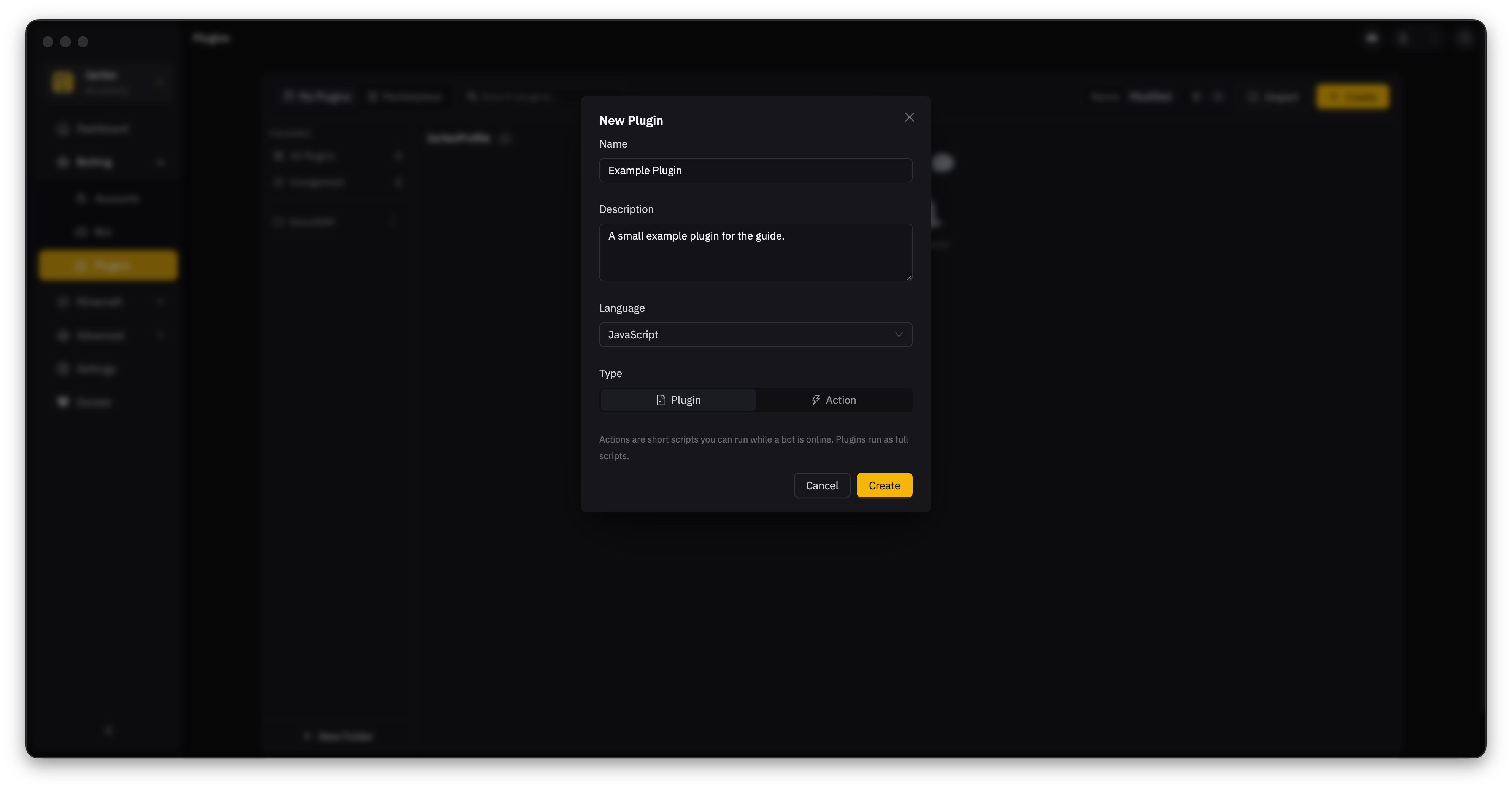
Select Create.
-
Enter a name and description so you can recognize the plugin later.
-
Choose JavaScript or TypeScript.
-
Choose Plugin for a full script that manages its own bots. Choose Action for a short script that runs on a bot that is already online.
-
Select Create to open the editor. For a recorded task, choose Recording from the language menu instead. See Record and replay a task.
Quickstart: Bot script
Here is a minimal plugin that joins an alt to a server gamemode and sends a chat message:
const { Bot } = require("JNbot");

async function main() {
  const bot = await Bot.join(
    { username: "AltName" },
    {
      login: true,
      gamemode: "skyblockdream",
    }
  );

  await bot.chat("Hello from JNbot plugin!");
}

main();
Quickstart: Multi-alt automation
To automate actions across multiple accounts with built-in controls (pause, skip, restart) and progress tracking, use script.forEachBot:
const { script } = require("JNbot");

async function main() {
  const alts = script.getAlts();

  for await (const bot of script.forEachBot(alts, script.settings)) {
    console.log(`Running on ${bot.username}...`);
    await bot.chat("/kit daily");
    await bot.waitForTicks(20);
  }
}

main();
Plugin development roadmap
Explore the dedicated guides to learn more about each part of the plugin system:
- Bot API: Connect, navigate gamemodes, interact with inventory windows, trade items, and pathfind.
- Script API: Host app integration, notifications, dialogs, progress bars, reminders, and
BotMachine. - Script Actions: Write modular actions and hook into triggers or dashboard buttons.
- Built-in action option IDs: Add standard alt filters and run settings to an action's plugin options.
- Profile UI Plugins: Build rich player drawer panels with live stats and badges.