Record and replay a task
A recording saves actions from a connected Minecraft client so you can play them back later. You do not need to write code. Recordings work best for a short, repeatable task such as opening a menu and making the same selections.
Create a recording
-
Open Plugins from the left menu.
-
Select Create.
-
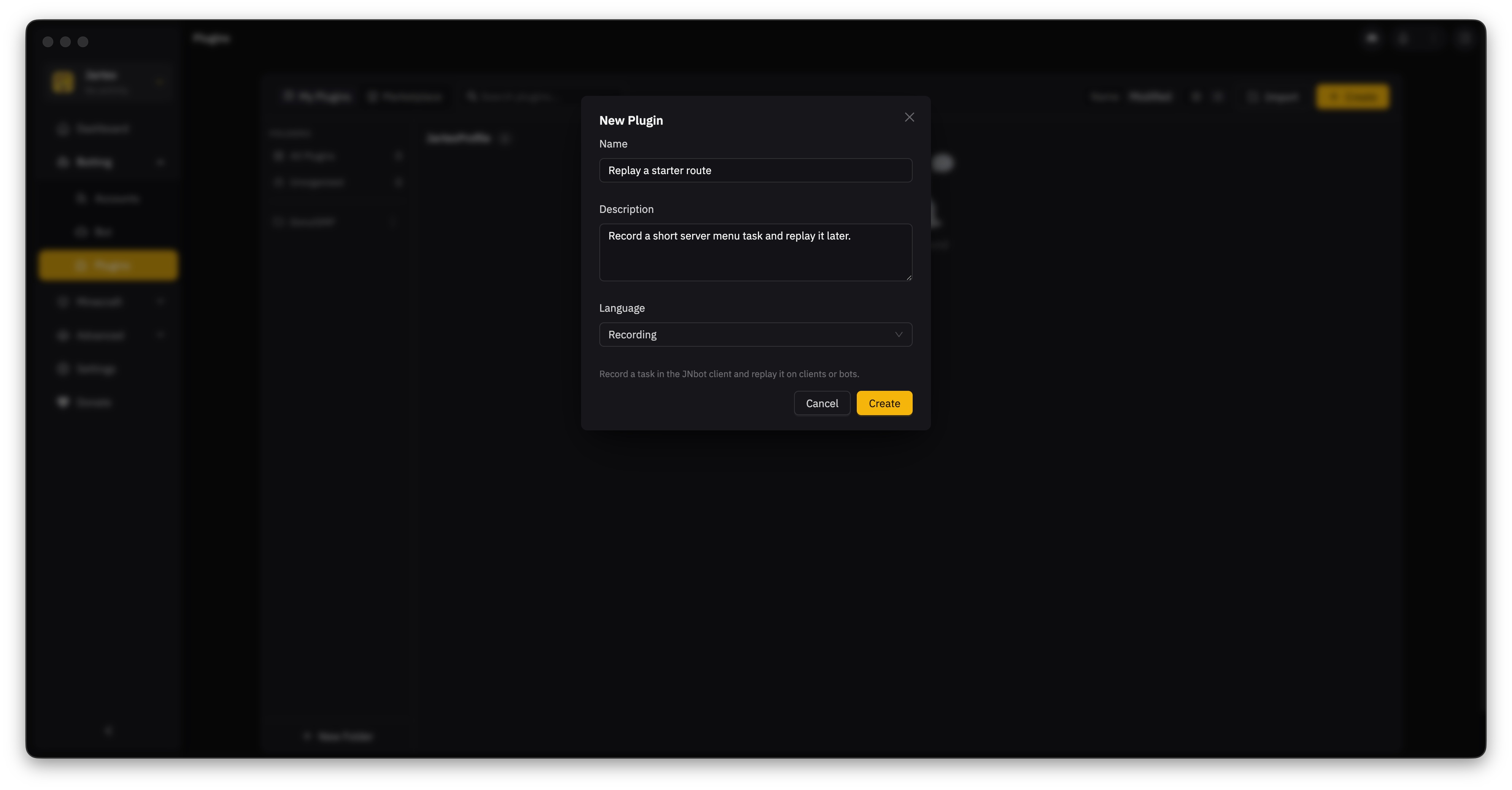
Give the recording a name. Add a description if you want a reminder of what it does.
-
Open Language and choose Recording. This tells JNbot to make a recording instead of a code plugin.
-
Select Create. The recording editor opens.
-
Select Record, choose the connected Minecraft client, then select Start recording.
-
Do the task in Minecraft. Press F9 to pause or continue. Press F8 when you are done.
JNbot saves the actions in the recording. Recording again replaces the actions from the previous run, so make a copy first if you want to keep the old version.
Keep the task short while you are learning. Start recording just before the first action you want to save, and stop as soon as the task is complete.
Check the recording
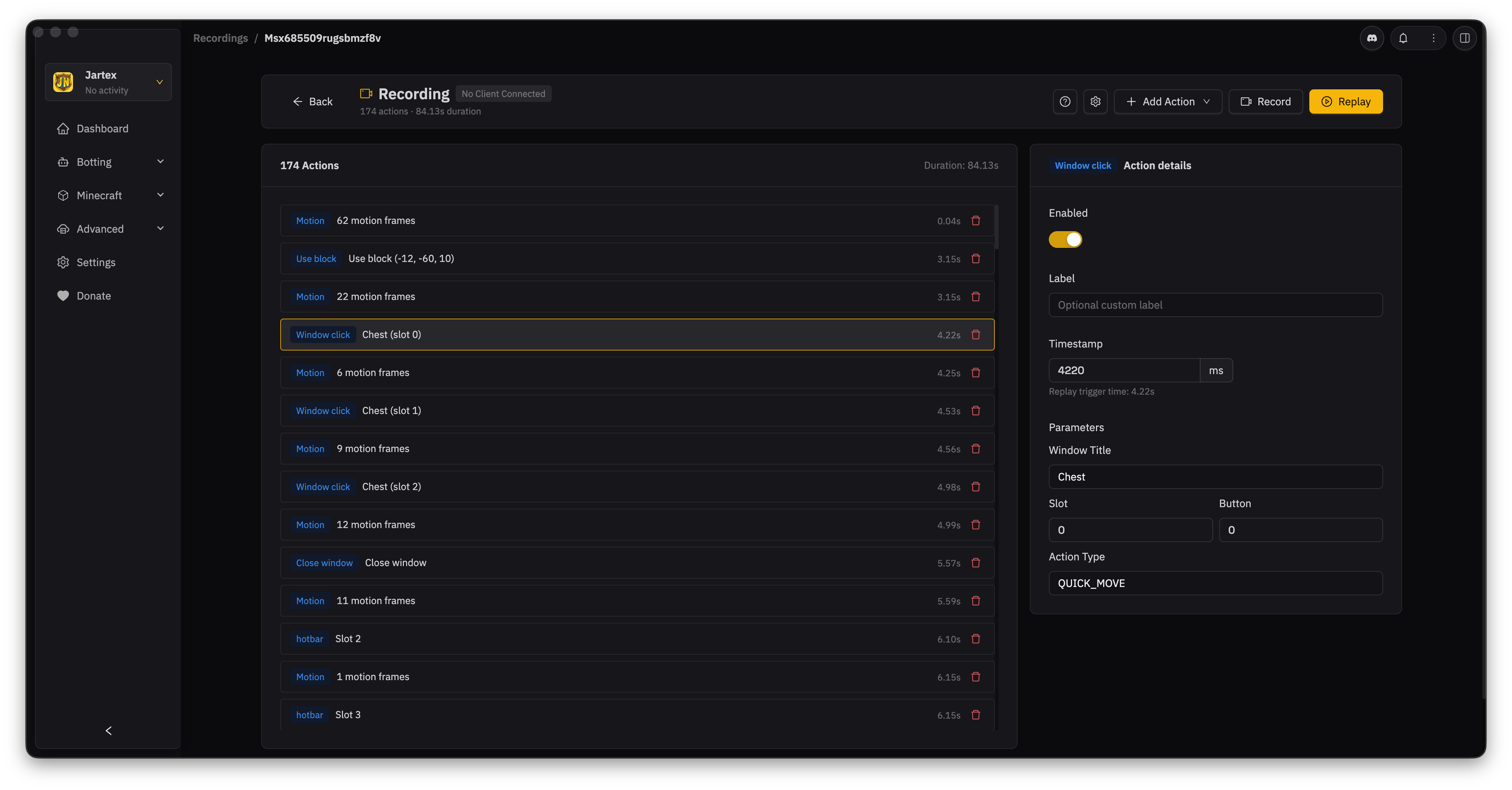
Open the recording from Plugins. The editor shows each recorded action in order. Select an action to open its details. From there, you can disable it, change its replay time, or adjust its settings. Use the trash button to remove an action. JNbot saves edits automatically.
Replay a recording
- Connect the Minecraft client or bot that should perform the task.
- Open the recording from Plugins and select Replay.
- Choose the connected client or bot.
- Choose where the task should happen:
- Relative to replay start uses the target's current position. Pick this when you want to repeat the task in different places.
- Recorded world coordinates uses the original location. Pick this when the task depends on that exact spot.
- Select Start replay.
Use the controls at the bottom of the app to pause, continue, or stop the replay. JNbot shows a report when it finishes, including actions it could not complete.
If a replay does not work
If JNbot says no bot or Minecraft client is connected, connect one before you replay the recording. Check that it is on the right server and can reach the menu, block, or item used by the recording. If the task starts in the wrong place, record it again or switch to Relative to replay start.