Script chains
A chain runs several script actions in order for each alt you select. It saves you from starting the same actions one at a time.
Create and run a chain
- Open Dashboard and scroll to Script chaining.
- Select Add new chain.
- Select Add action, then choose an action from the menu.
- Add the next action and arrange the steps from top to bottom. Use the arrows to move a step, or the trash button to remove it.
- Set a delay in milliseconds if an action needs a pause before it runs.
- Select the settings button to name the chain and choose which alts it should use. You can filter by gamemode, alt range, tags, rank, and gkit.
- Select Run.
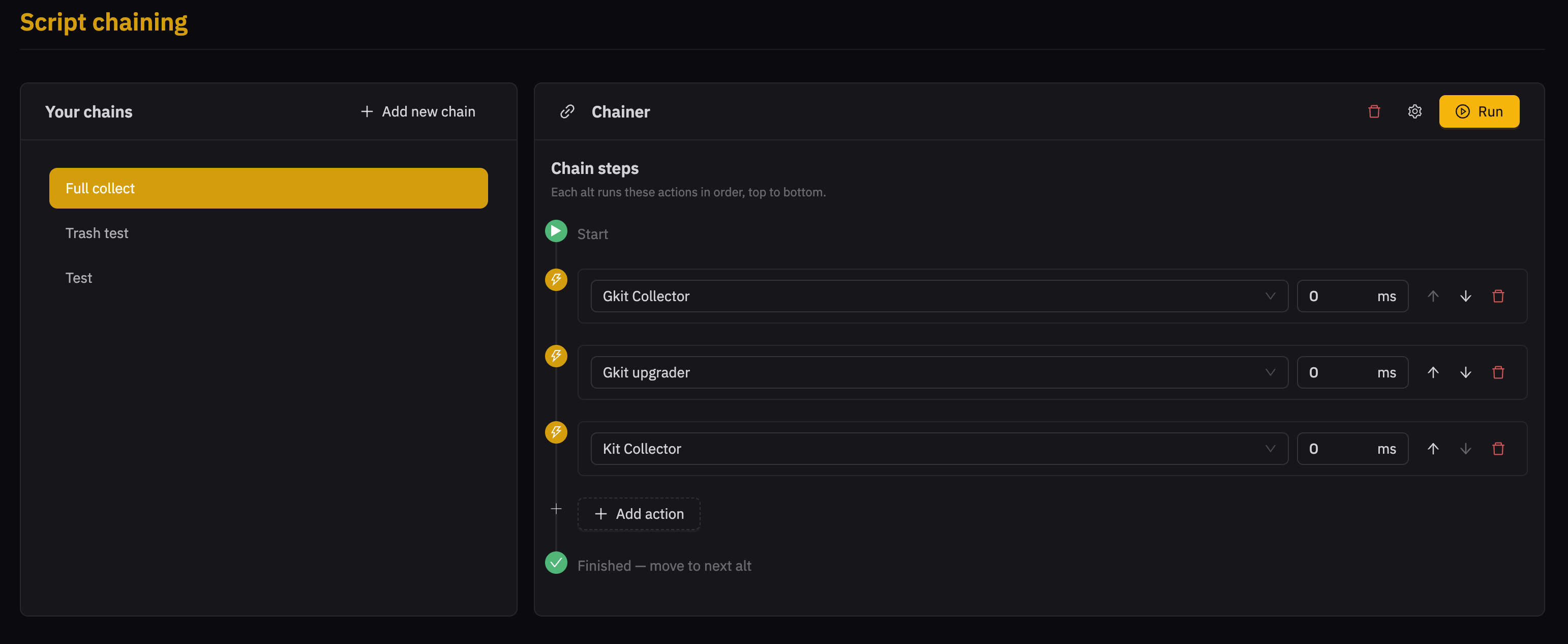
JNbot runs every action in order for one eligible alt, then moves to the next. Select Stop to stop the chain while it is running.
The action menu contains actions provided by installed plugins and the active server profile. If the action you need is missing, check that its plugin is installed and available for the active profile.