Add and organize alts
An alt is a Minecraft account saved in JNbot. Alts belong to the active server profile, so switch profiles before adding an account for another server.
Add an alt
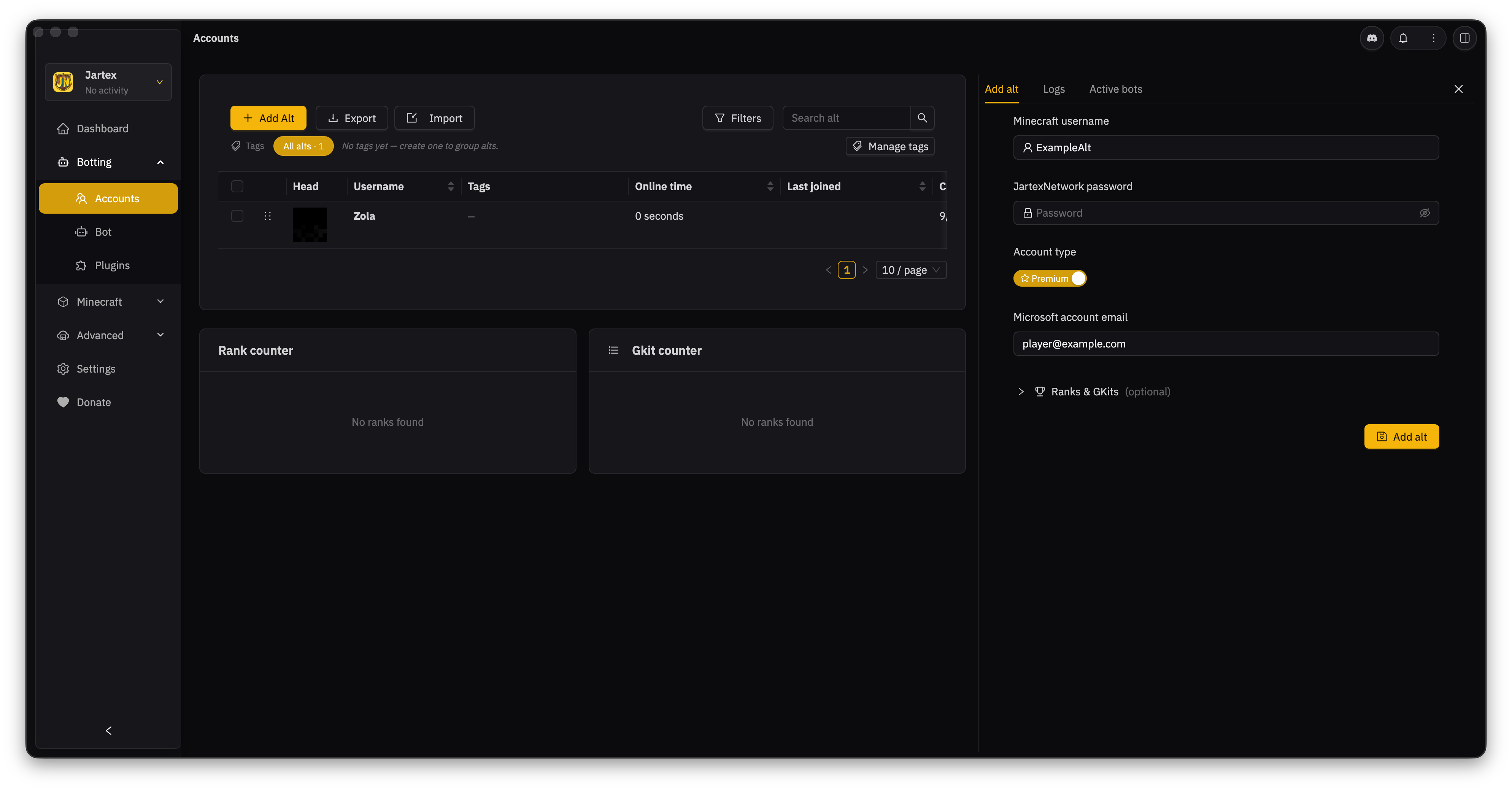
The Add Alt panel opens on the right side of the Accounts page. The screenshot shows the fields you will use. Leave Ranks & GKits closed unless you want to save those details now.
- Open Accounts from the left menu.
- Select Add Alt. The form opens on the right.
- Enter the Minecraft username.
- Enter the password you use to log in to the server, if that server asks you to use
/login. - Choose the account type. Leave the switch off for a cracked account. Turn on Premium for a Microsoft account, then enter its Microsoft email.
- Open Ranks & GKits only if you want to save those details for this account. This part is optional.
- Select Add alt to save.
The server password is the password you use with /login after joining. It is not your Microsoft password. For a premium account, enter the Microsoft email in the separate field. If JNbot asks you to sign in to Microsoft, follow that prompt. Never put your Microsoft password in a plugin.
Find an alt
Use Search alt to find an account by username. Select the eye button on its row to open its details. From there, you can update its server password, ranks, GKits, and other saved details.
Use Filters to narrow the table by information such as rank or gkit. Select one or more rows to tag or export only those accounts.
Group alts with tags
Use tags to group accounts by purpose, such as Main or Farmers. Tags belong to the active server profile.
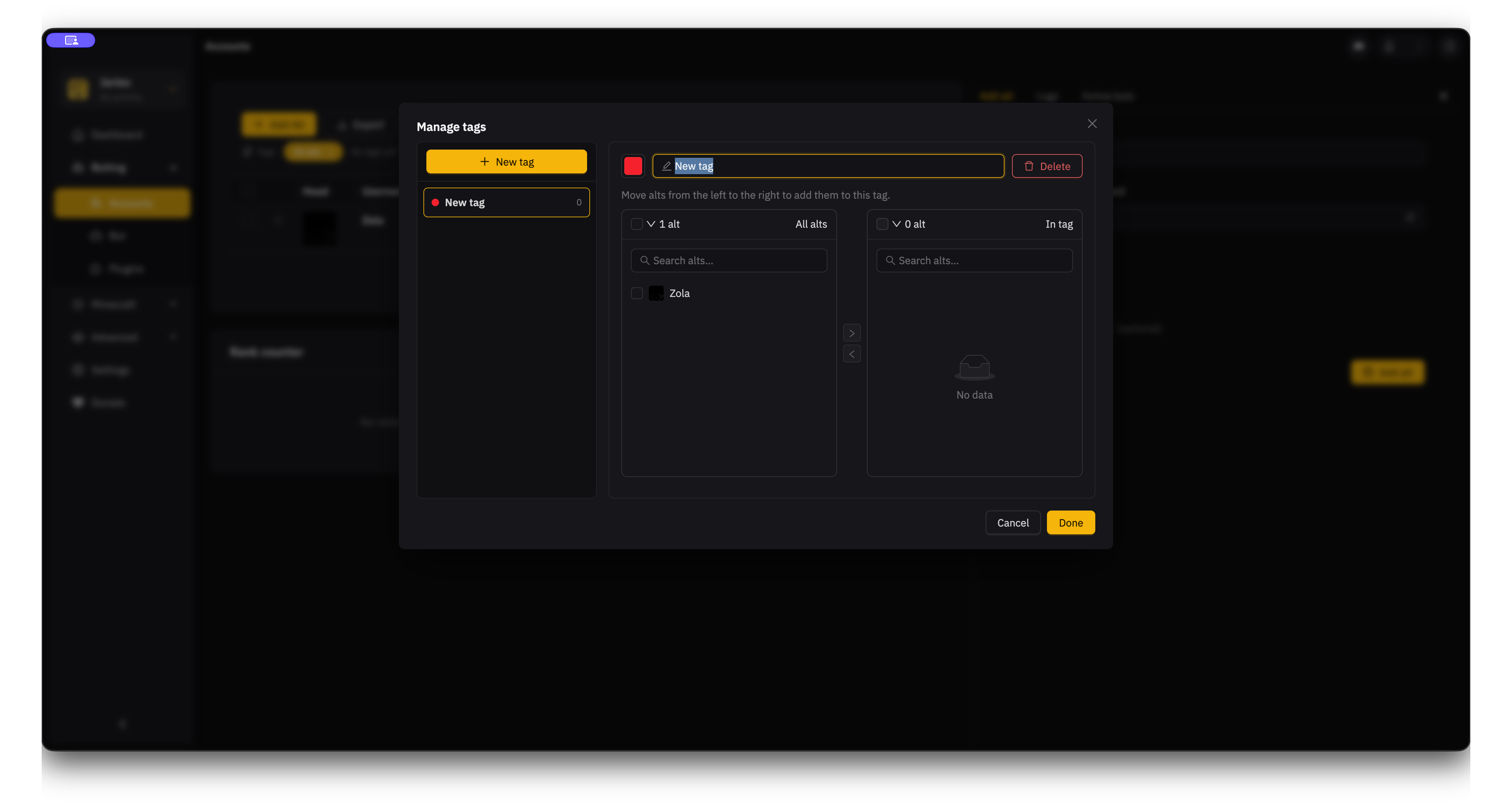
- Select Manage tags.
- Select New tag, then enter a name.
- Select the checkbox beside each alt you want in the group.
- Select the right arrow to move those alts into In tag.
- Select Done to save the tag.
To remove an alt from a tag, select it under In tag and use the left arrow.
Import or export alts
Select Import to load an alt list saved from JNbot. Select Export to save the whole list or just the selected accounts.
An export may include account usernames and passwords. Store it somewhere private and remove it when you no longer need it.