Cooldowns
Cooldowns track how long you need to wait before an in-game activity is ready again. Plugins create them automatically, for example after claiming a reward with a waiting period.
View and manage cooldowns
- Open Dashboard and scroll to the Kits section.
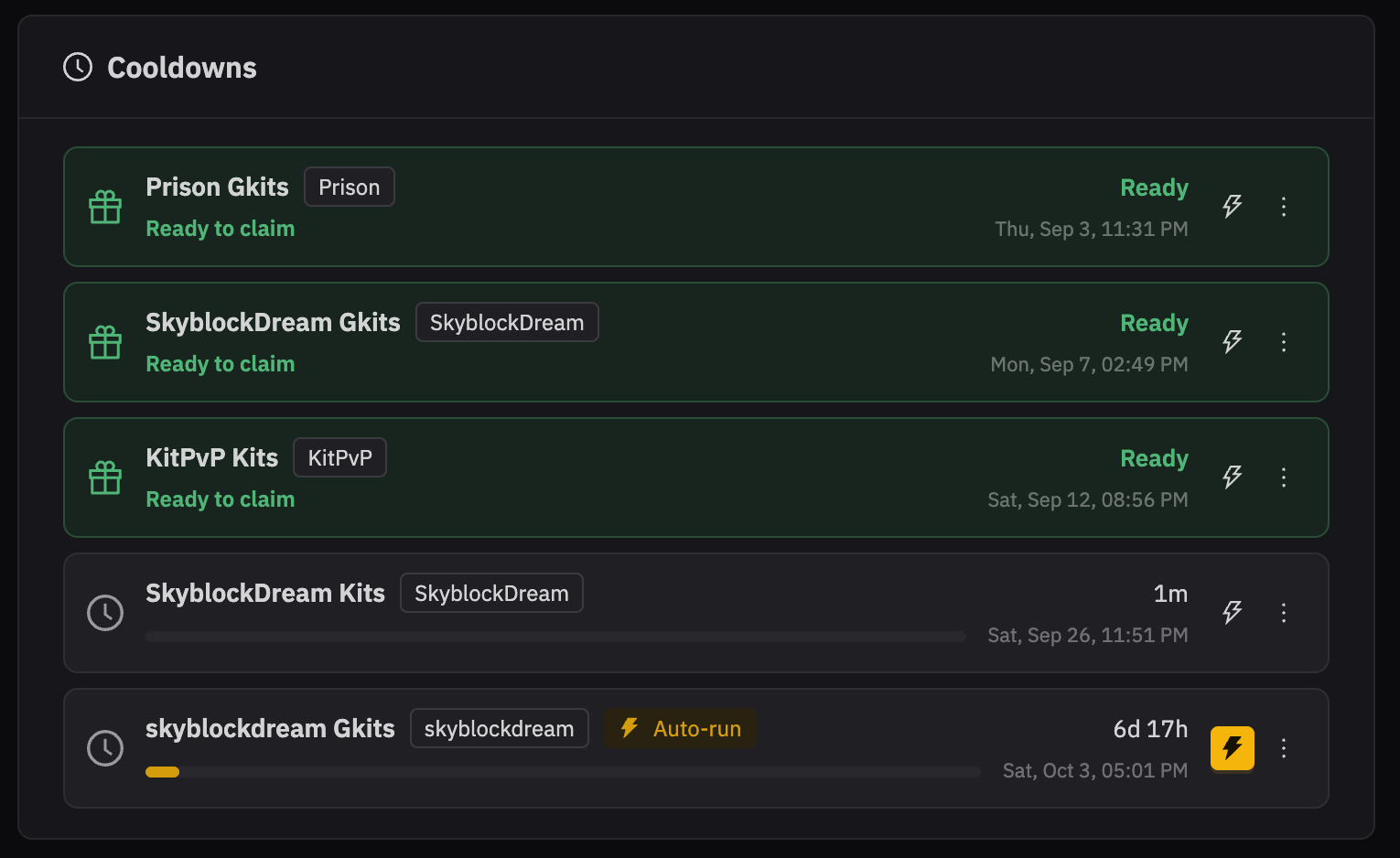
- Find the Cooldowns card. It shows each countdown, its ready time, and whether it is ready to claim.
- Open the menu at the end of a cooldown row to edit it, reset its countdown, or delete it.
When editing, you can change the name, wait time, and ready date. Use Reset countdown to start the wait again from now.
Run a plugin when a cooldown is ready
Select the lightning button on a cooldown to turn Auto-run on or off. When it is on, JNbot starts the plugin that created that cooldown when the countdown finishes. JNbot then starts the countdown again, so it can run again after the next wait.
Use this only when you want that plugin to run without manually starting it each time. Select the lightning button again to turn it off.